Great news! The issue with embedding Twitter and x.com links has been resolved. You should now be able to copy and paste Twitter.com and x.com links without any trouble.
Please try to add Twitter links as you normally would, and let us know if everything works as expected or if you encounter any further issues.
Thank you for your patience while we worked on this.
Warm regards,
Support
Team•
Sep 12, 2023
Hello,
Thank you for bringing this to our attention.
The issue you're encountering is due to recent changes in how Twitter format their links. They have started using "x.com" format. We'll be working on adapting to these changes in our system to ensure seamless integration.
In the meantime, a quick workaround is to replace "https://x.com/" with "https://twitter.com/" in the link you're trying to embed. This should resolve the issue temporarily.
Please note that the "?s=20" parameter in the URL is not causing this behavior. It's strictly related to the domain change.
We appreciate your patience and understanding as we work on a more permanent solution.
Best regards,
Mediagroep Twente
•
Sep 12, 2023
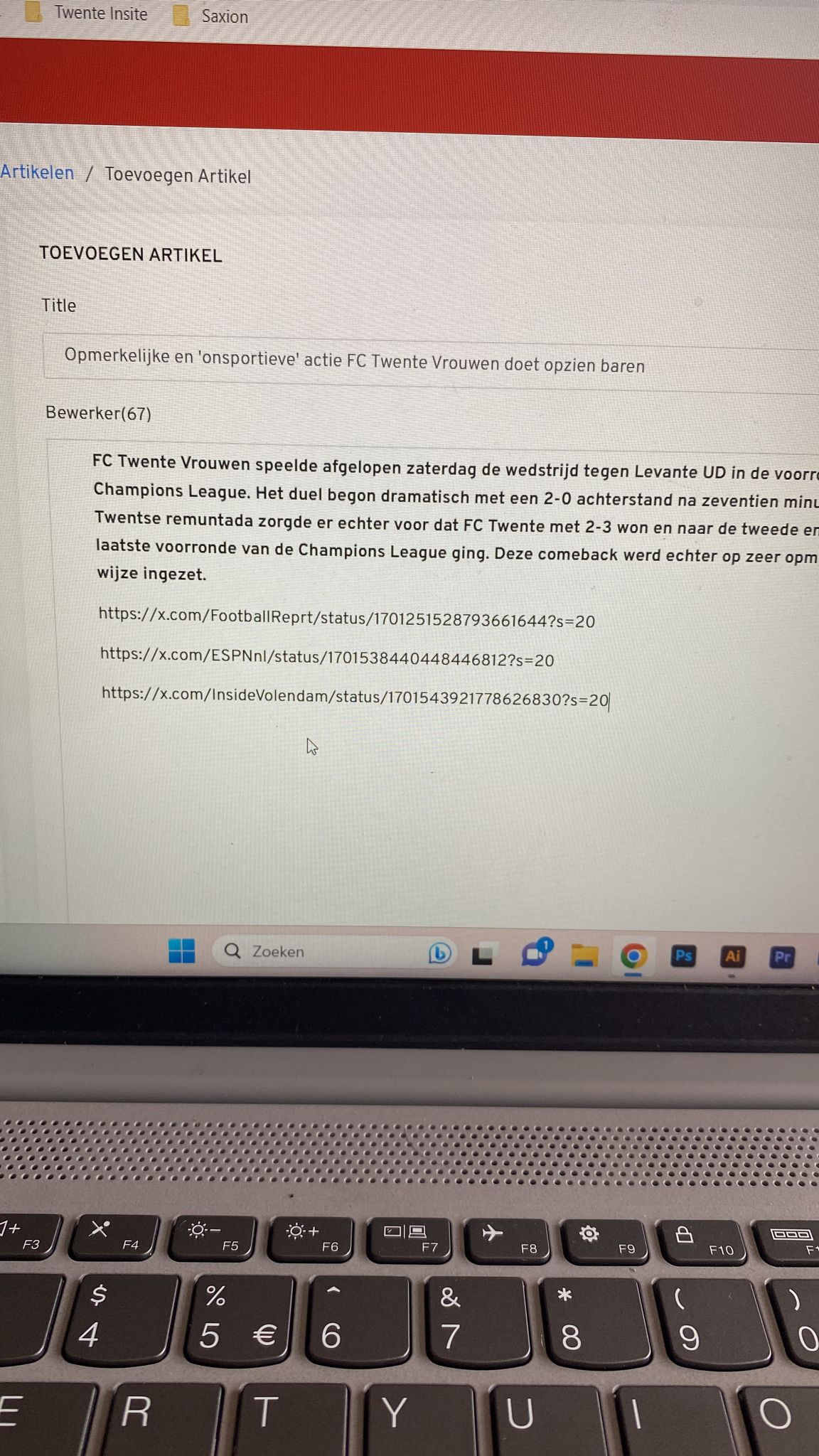
Ok, als we een link van een tweet pakken dan staat er ?s=20 achter. Dit blokkeert de tweet van inladen. Als we de url uit de adresbalk halen werkt het wel. Dan staat ?s=20 er niet achter. Vreemd..... vanuit Tweetdeck werkt url kopiëren wel.
Log in to comment and vote
Comments3
Support
Oct 4, 2023
Hello,
Great news! The issue with embedding Twitter and x.com links has been resolved.
You should now be able to copy and paste Twitter.com and x.com links without any trouble.
Please try to add Twitter links as you normally would, and let us know if everything works as expected or if you encounter any further issues.
Thank you for your patience while we worked on this.
Warm regards,
Support
Sep 12, 2023
Hello,
Thank you for bringing this to our attention.
The issue you're encountering is due to recent changes in how Twitter format their links. They have started using "x.com" format. We'll be working on adapting to these changes in our system to ensure seamless integration.
In the meantime, a quick workaround is to replace "https://x.com/" with "https://twitter.com/" in the link you're trying to embed. This should resolve the issue temporarily.
Please note that the "?s=20" parameter in the URL is not causing this behavior. It's strictly related to the domain change.
We appreciate your patience and understanding as we work on a more permanent solution.
Best regards,
Mediagroep Twente
Sep 12, 2023
Ok, als we een link van een tweet pakken dan staat er ?s=20 achter. Dit blokkeert de tweet van inladen. Als we de url uit de adresbalk halen werkt het wel. Dan staat ?s=20 er niet achter. Vreemd..... vanuit Tweetdeck werkt url kopiëren wel.